
Microsoft Copilot Struggles with Styled PowerPoint Presentations Despite Premium License
A detailed practical test reveals significant limitations when using Microsoft Copilot to generate PowerPoint presentations adhering to corporate style guidelines, even with a paid premium license.
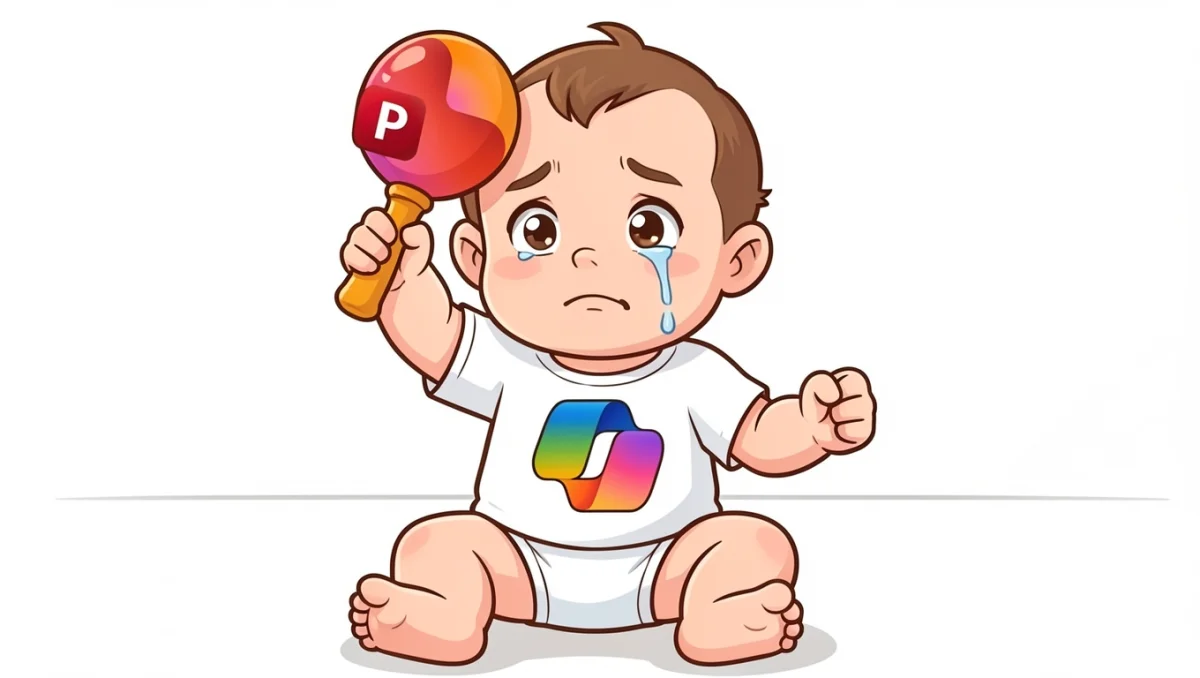
Microsoft Copilot, touted as a powerful AI assistant for professional workflows, faces significant hurdles when tasked with generating PowerPoint presentations that adhere to specific corporate style guides. A recent practical test using the paid premium version of Copilot revealed that the tool struggles considerably with these constraints, often failing to intuitively produce presentations that meet established branding and formatting requirements.
The envisioned workflow of uploading documents and generating a presentation with a few clicks, all within the employer’s approved software, paints an optimistic picture for AI-assisted content creation. While Copilot demonstrates proficiency in free-form presentation design, many businesses operate under strict style mandates. These typically include specific fonts, font sizes, and predefined slide layouts, creating a “corset” of requirements that AI tools are expected to navigate.
Por que importa
Previous explorations, such as those with ChatGPT, have shown that AI can indeed work within such predefined structures. However, for many employees, Microsoft Copilot is the only AI tool permitted for professional use. This makes its performance in this specific context particularly important. The intensive practical test, conducted with a paid premium license, yielded a “nasty surprise” for users expecting seamless integration with corporate styling.
Intuitiveness was largely absent in the testing process. While some issues could be addressed through workarounds, the core functionality for generating styled presentations proved problematic. The article aims to detail where the Microsoft AI falters and identify areas where it can still be utilized to expedite the presentation creation process, despite its current limitations.
Contexto
Key facts
| Feature | Finding |
|---|---|
| AI Tool | Microsoft Copilot |
| Application | PowerPoint presentation generation |
| Test Condition | Adhering to corporate style guides (fonts, layouts, etc.) |
| Result | Significant struggles, limited intuitive functionality |
| License | Paid Premium |
| Workarounds | Some issues resolvable, but not a seamless experience |
The implications for businesses are substantial. The promise of AI-driven productivity hinges on its ability to integrate smoothly into existing workflows and adhere to established brand guidelines. When a tool like Copilot, intended for professional use, fails to meet these fundamental requirements, it undermines user confidence and the potential for efficiency gains. The need for workarounds suggests that the AI is not yet mature enough for widespread adoption in environments with strict corporate branding.
While Copilot may be able to handle basic presentation generation, its inability to consistently apply corporate styles means that significant manual editing is likely still required. This diminishes the time-saving benefits that users expect from such advanced AI tools. The article highlights that while some aspects of Copilot’s functionality might be useful for speeding up initial content assembly, its current performance in styled presentation creation suggests it is not a complete solution for businesses prioritizing brand consistency.
The development matters to ReviewArticle readers because it provides a realistic assessment of a widely adopted AI tool in a business context. It underscores the importance of verifying AI capabilities against specific use cases, especially when corporate policies dictate stringent formatting and design standards. For professionals reliant on tools approved by their employers, understanding the practical limitations of tools like Microsoft Copilot is crucial for managing expectations and identifying genuine productivity gains versus perceived ones.
Source: Heise KI, “Microsoft Copilot im PowerPoint-Workflow: Wenig Brauchbares”, https://www.heise.de/ratgeber/Microsoft-Copilot-im-PowerPoint-Workflow-Wenig-Brauchbares-11332751.html?wt_mc=rss.red.ho.themen.k%C3%BCnstliche+intelligenz.beitrag_plus.beitrag_plus
Source
Heise KI Publicacion original: 2026-06-16T10:46:00+00:00
Related articles
IBM CEO Puts a Number on the Open-Weight AI Value Proposition: 90% of the Performance at 10% of the Token Cost
IBM CEO Arvind Krishna told analysts that open-weight models now deliver about 90% of frontier-model effectiveness while costing between 10% and 25%…
Read article
OCU Finds Spanish Homeowner Communities Overpaying Up to €1,500 on Electricity and €3,515 on Gas—Can AI Tools Optimize Shared Energy Bills?
A new OCU analysis of Spanish homeowner community bills reveals widespread overpayment due to non-competitive tariffs and excess contracted power. Could AI-driven…
Read article
Mayotte fiber dispute does not meet ReviewArticle’s AI news brief
Le Monde reports that France’s competition authority has ordered Orange to suspend part of its fiber-optic rollout in Mayotte. The dispute is…
Read article
DiffEEG Model Uses Diffusion Pre-Training to Improve Seizure Detection from Minimal Labeled Data
Researchers have introduced DiffEEG, a 9.6-million-parameter foundation model that combines denoising diffusion pre-training with reinforcement learning fine-tuning to detect seizure events from…
Read articleWiki relacionada

AI Model API Pricing and Context Window Comparison: Current Rates and Limits
Compare the latest API pricing, context windows, and capabilities of leading AI model providers including OpenAI, Anthropic, Google, and Mistral. Practical guidance…
Read article
AI Agent Evaluation Frameworks: How to Benchmark Agentic Systems
A practical guide to evaluating AI agents — from task completion metrics to safety, cost, and robustness. Covers major frameworks, primary sources,…
Read article
LLM Benchmarks Decoded: What MMLU, HumanEval, and GSM8K Actually Measure for Developers
A developer-focused breakdown of the most-cited LLM benchmarks — MMLU, HumanEval, GSM8K, MATH, Chatbot Arena — including what they test, their hidden…
Read article
What Is RAG? A Practical Guide to Retrieval-Augmented Generation in 2025
Retrieval-Augmented Generation (RAG) grounds LLM outputs in external data, reducing hallucinations and enabling enterprise use cases. This guide covers how RAG works,…
Read article